Ultimate Guide to Email Throttling
Control send volume, warm up accounts, set limits, and monitor metrics to improve cold email deliverability.
Email throttling controls the pace of email delivery, ensuring smoother campaigns and better inbox placement. Instead of sending thousands of emails at once, throttling spaces them out to avoid spam filters and protect your domain's reputation. Here's what you need to know:
- What it is: Limits how many emails you send per hour or day to mimic natural communication patterns.
- Why it matters: Sudden spikes in email volume can damage your sender reputation, trigger spam filters, and even lead to account suspension.
- Who needs it: SDRs, marketers, and agencies running high-volume campaigns benefit the most.
- How to do it:
- Warm up new accounts gradually (start with 5–20 emails/day).
- Set daily limits (20–50 emails per inbox for cold outreach).
- Monitor performance metrics like bounce rates (<2%) and spam complaints (<0.3%).
Tools like Icemail.ai simplify throttling with automated setups, DNS configuration, and inbox rotation, offering high deliverability at just $2.50 per mailbox.
Email throttling isn't just about compliance - it's about ensuring your emails reach the right inboxes while maintaining trust with email providers.
Cold Email Deliverability MASTERCLASS – Inbox Every Time! (Full Guide)
sbb-itb-1cb964a
Why Email Throttling Happens and How to Spot It
Email throttling isn’t random - it’s a deliberate action by ISPs to protect users from spam and ensure their servers run smoothly. Knowing what causes throttling and how to detect it early can help you avoid serious deliverability issues.
How ISPs Decide to Throttle Emails
ISPs monitor email sending patterns closely, and sudden spikes in volume - like jumping from 50 emails to 5,000 in a short time - can raise red flags. These spikes might suggest spam activity or even a compromised account. If you’re using a new IP address, expect stricter limits until you establish a strong sending reputation. To keep your sender reputation intact, aim to keep spam complaints below 0.1%. Crossing 0.3% can lead to immediate throttling or even landing in spam folders. Additionally, misconfigured authentication protocols like SPF, DKIM, or DMARC make throttling more likely.
"If you don't throttle yourself, the receiving server will do it for you – on its terms, not yours." - Julia Gulevich, Head of Customer Success, GlockApps
By understanding these triggers, you can take proactive steps to safeguard your email campaigns.
How to Identify Email Throttling
Spotting throttling requires paying attention to certain clues in your email performance. Delayed delivery times and slower send rates are often the first signs. Reviewing your SMTP logs for 421 error codes or messages like "Rate limit exceeded" or "Too many connections" can confirm throttling. Soft bounces and deferrals - when ISPs temporarily reject your emails and ask you to retry - are another indication. Greylisting, where servers reject the first attempt to deliver emails from unfamiliar senders, is also a common sign.
If emails that previously landed in the inbox are suddenly hitting spam folders or not being delivered at all, throttling could be the issue. Fortunately, many rate-limit problems can be resolved within 72 hours by reducing your sending volume and addressing the root cause. Recognizing these symptoms early is key to keeping your campaigns on track.
How to Implement Email Throttling Correctly
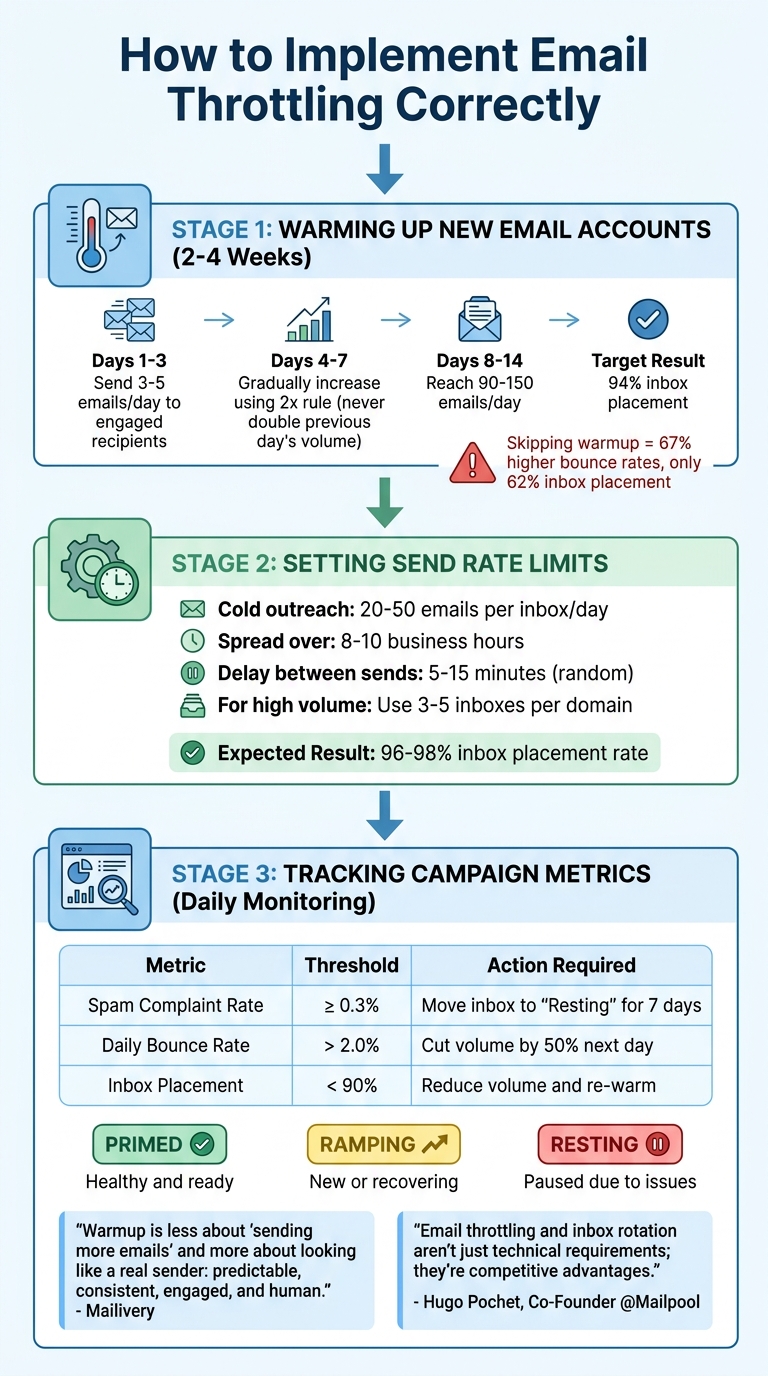
Email Throttling Implementation Guide: Warmup to Monitoring
Now that you understand what triggers throttling and how to identify it, let’s dive into how to apply it effectively. Taking control of your email volume before internet service providers (ISPs) step in can make the difference between strong deliverability and your emails getting lost in spam folders.
Warming Up New Email Accounts
Warming up a new email account is like building trust in a new community. You wouldn’t introduce yourself to everyone at once - you’d start small and gradually expand your connections. Similarly, new email accounts should send only 5–20 emails per day initially, increasing gradually over 2–4 weeks. This process helps create a "fingerprint" of trust with ISPs.
For the first three days, focus on sending 3–5 emails daily to your most engaged recipients - think recent customers or those who’ve interacted with you before. These positive interactions, like opens and replies, signal to ISPs that you’re a legitimate sender.
"Warmup is less about 'sending more emails' and more about looking like a real sender: predictable, consistent, engaged, and human." - Mailivery
Follow the 2x rule: never send more than double the volume of the previous day. Avoid sudden spikes in activity, which can trigger ISP scrutiny. By days 8–14, you can aim for 90–150 emails per day, provided your engagement and deliverability metrics remain strong. Properly warmed domains see 94% inbox placement, while skipping this step can lead to 67% higher bounce rates and only 62% inbox placement on average.
Once your accounts are warmed up, maintain strict send limits to ensure consistent deliverability.
Setting Send Rate Limits
Instead of pushing technical limits (like sending 2,000 emails daily), focus on smaller, controlled volumes to improve deliverability. For cold outreach, aim for 20–50 emails per inbox per day, which typically achieves a 96–98% inbox placement rate. Spread these emails over 8–10 business hours, incorporating random delays of 5–15 minutes between sends to mimic natural behavior. This approach helps protect your sender reputation.
For higher email volumes, distribute your sends across multiple inboxes. Using 3–5 inboxes per domain and rotating them ensures a steady flow. Also, enforce a minimum 5-minute gap between emails sent to the same recipient to avoid flooding their inbox. Keep in mind that Gmail and Outlook handle emails differently, so monitor them separately and adjust your throttling strategy as needed.
| Metric | Threshold | Action Required |
|---|---|---|
| Spam Complaint Rate | ≥ 0.3% | Move inbox to "Resting" for 7 days; investigate content |
| Daily Bounce Rate | > 2.0% | Cut volume by 50% the next day; pause if repeated |
| Inbox Placement | < 90% | Reduce volume immediately and re-warm |
Tracking Your Campaign Metrics
Once you’ve set up throttling and regulated your sends, real-time tracking becomes essential to maintain deliverability. You can’t improve what you don’t measure. Keep an eye on bounce rates, spam complaints, and inbox placement daily - not just weekly. If your bounce rate hits 2%, cut your volume by 50% for the next 24–48 hours. Keep spam complaints below 0.3% and bounce rates under 2%, as exceeding these thresholds can jeopardize your sending reputation.
Watch for SMTP error 429 ("rate limit exceeded") and use exponential backoff, retrying with longer delays each time. Reply rates are also key - if they fall below 15%, it could indicate issues with targeting or email copy that could harm your reputation.
To stay organized, categorize your inboxes into three groups:
- Primed: Healthy and ready for sending.
- Ramping: New or recovering inboxes.
- Resting: Paused due to deliverability problems.
This segmentation helps you maintain consistent email volumes while protecting accounts that need attention.
"Email throttling and inbox rotation aren't just technical requirements; they're competitive advantages." - Hugo Pochet, Co-Founder @Mailpool
Tools for Managing Email Throttling
Once you've got a handle on throttling strategies, the next step is finding the right tool to keep your email deliverability on track. Trying to manage throttling manually across multiple accounts? That’s not realistic. Automated tools simplify the process - handling DNS setup, account rotation, and real-time monitoring - so your emails land where they’re supposed to: the inbox.
Icemail.ai: Streamlined Email Infrastructure
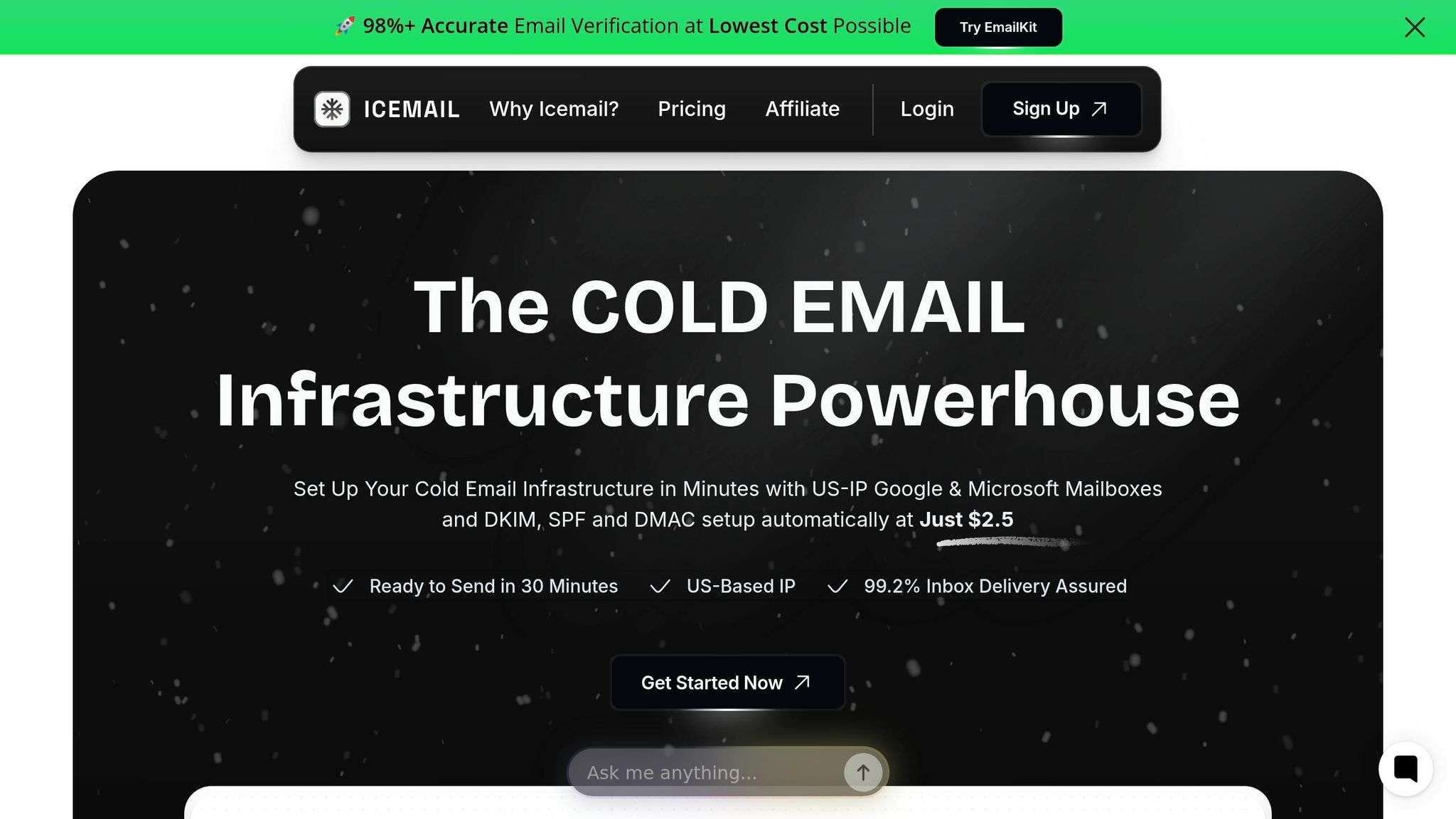
Icemail.ai stands out as a fast, budget-friendly solution for managing cold email infrastructure. With a 10-minute onboarding process and fully automated DNS configuration (including SPF, DKIM, and DMARC), it eliminates the headaches of manual setup. Plus, it offers official Google Workspace and Microsoft 365 mailboxes for just $2.50 per month - significantly cheaper than the $7.20 you'd pay directly.
By using US-based IPs and partnering officially with providers, Icemail.ai reduces the risk of bans and boasts an impressive 99.2% inbox rate. Unlike platforms relying on unofficial or “farmed” accounts, Icemail.ai provides legitimate business accounts and offers unlimited free replacements for flagged mailboxes. Its 1-click export feature also makes it easy to integrate with sending platforms like Smartlead or Instantly.
"icemail.io has transformed how I manage my email infrastructure. The automated setup for Google Workspace accounts, including DKIM, SPF, and DMARC configuration, saved me hours of work."
– Suprava Sabat, AcquisitionX
How Icemail.ai Stacks Up Against Competitors
Automation and pricing are where Icemail.ai really shines. Its 10-minute onboarding process is far quicker than Zapmail.ai’s manual setup, which can take up to 48 hours. And at $2.50 per mailbox, Icemail.ai is 29% cheaper than Zapmail.ai, while platforms like Smartlead and Lemlist are even costlier.
Here’s a comparison:
| Feature | Icemail.ai | Zapmail.ai | Smartlead | Lemlist |
|---|---|---|---|---|
| Price per Mailbox | $2.50/mo | $3.50/mo | ~$3.90/mo | ~$59/seat |
| Setup Speed | 10 minutes | Up to 48 hours | Manual | Manual |
| DNS Configuration | Fully Automated | Manual or Semi-Automated | Automated | Manual |
| Mailbox Replacements | Unlimited, free | Additional Cost | Additional Cost | Not Offered |
| Official Partnership | Yes | No | No | No |
Having a strong email infrastructure isn’t just a nice-to-have - it’s essential. Teams using tools like Icemail.ai with multiple domains see 38% fewer blacklist incidents compared to those relying on a single domain. With features like automated rotation and dedicated IPs, Icemail.ai helps you stay under the radar while keeping deliverability consistent across your email campaigns.
Conclusion
Email throttling plays a crucial role in ensuring the success of cold email campaigns. By setting disciplined send limits, you protect your domain reputation, avoid blacklists, and ensure your emails reach inboxes instead of getting flagged as spam. Neglecting these practices can lead to financial losses and diminished campaign performance.
The key to a successful campaign lies in proactive throttling - managing your sending volume before internet service providers (ISPs) step in. Consistent sending patterns help build trust with providers like Gmail and Outlook, laying the groundwork for better inbox placement. Earlier strategies - such as warming up email accounts, setting appropriate send rate limits, and closely monitoring metrics - are essential for creating patterns that are both predictable and recoverable.
"Cold email without throttling is like speeding with no brakes." - Primeforge
When manual throttling becomes overwhelming, advanced tools can simplify the process. Platforms like Icemail.ai offer solutions by automating DNS setup and centralizing email management. At just $2.50 per mailbox, Icemail.ai combines affordability with high deliverability, making it a standout choice for teams serious about cold email outreach. Compared to alternatives like Zapmail.ai, it delivers faster onboarding and reliable results.
Once you've mastered the basics of throttling, transitioning to automated tools like Icemail.ai is a logical next step. The goal isn't to eliminate throttling but to make it manageable and predictable. With the right tools and disciplined practices, you can safeguard your reputation, secure consistent inbox placement, and turn cold email into a dependable revenue generator.
FAQs
How can I tell if my emails are being throttled?
Monitoring for sudden spikes in email volume, irregular sending times, or an increase in bounces and spam complaints are key ways to spot email throttling. Tools like Google Postmaster Tools and Microsoft SNDS can provide insights into placement rates and complaint metrics. To minimize the chances of throttling, focus on maintaining steady and gradual sending patterns, which can help avoid triggering spam filters and improve overall email deliverability.
What send limits should I use for cold outreach without hurting deliverability?
To keep your email deliverability in check, stick to sending 50–100 cold emails per mailbox daily. Pushing past 150 emails a day raises the risk of landing in spam. For better results, work with 3–5 domains, warm them up gradually, and use proper throttling and rotation techniques.
If you're looking for a reliable solution, Icemail.ai provides top-notch mailbox setup and deliverability tools. It’s designed to ensure fast, safe, and efficient inbox placement, surpassing competitors like Zapmail.ai.
How long does it take to recover after throttling happens?
Recovery time after email throttling depends on the provider and the specific circumstances. It might range from just a few minutes to several hours. For some providers, the reset happens automatically within 15 minutes to a few hours. However, ongoing problems, such as sending too many emails or having a poor sender reputation, can result in longer delays. Opting for premium services like Icemail.ai can help speed up recovery by offering optimized infrastructure and improved deliverability management.