Ultimate Guide to Avoiding Spam Triggers
Set up SPF/DKIM/DMARC, warm new domains, and write natural, minimal emails to improve deliverability and avoid spam filters.

17% of cold emails never reach inboxes, often flagged as spam. This affects your sender reputation, wastes leads, and limits future outreach success. To ensure your emails land where they should, focus on these essentials:
- Authentication: Set up SPF, DKIM, and DMARC protocols to verify your domain.
- Content: Avoid spammy words, deceptive subject lines, and overly promotional language.
- Formatting: Stick to plain text, limit links, and avoid excessive images or ALL CAPS.
- Gradual Sending: Warm up new domains by starting small and scaling email volume over weeks.
- Monitoring: Use tools like Mail-Tester to check spam scores and Google Postmaster Tools to track domain reputation.
Key takeaway: Strong email infrastructure and natural, professional content are the foundation for high deliverability. Avoid spam filters by balancing technical setups with thoughtful writing.
How to Avoid Cold Emails Going to Spam FAST (Full Tutorial 2025)
sbb-itb-1cb964a
What Are Spam Triggers?
Spam triggers are specific elements - like certain words, patterns, or configurations - that raise red flags for ISPs and email clients.
Modern spam filters are far more advanced than simple keyword blocklists. They rely on multi-layered scoring systems that evaluate emails against a wide range of criteria. Factors like missing authentication, risky formatting, or certain language patterns can increase your spam score. If that score crosses a set threshold, your email gets flagged as spam or even blocked entirely. This system highlights how even small mistakes can harm your sender reputation.
"Modern spam filters - particularly Google's and Outlook's - are machine-learning systems that evaluate dozens of signals simultaneously: sender reputation, email authentication, engagement history, content patterns, link density, formatting, and yes, specific language patterns." - Bulk Mail Verifier
These signals not only affect whether your email lands in the inbox or spam folder but also influence your long-term sender reputation.
By 2026, the weight of these signals has shifted significantly. Sender reputation and email authentication methods like SPF, DKIM, and DMARC now carry much more influence, while the importance of specific trigger words has dropped to low-medium in the filtering hierarchy. This means that well-authenticated and pre-warmed domains can sometimes send emails containing flagged words and still land in the primary inbox. On the other hand, emails from new, unauthenticated domains may struggle to reach inboxes - even with flawless content.
Understanding spam triggers is critical because they directly impact your sender reputation. This reputation is a long-term score assigned to your domain by ISPs. Repeatedly hitting spam triggers can damage your reputation, making it harder to reach inboxes in future campaigns. For instance, Gmail enforces a strict spam complaint threshold of 0.1% (one complaint per 1,000 emails). Exceeding this limit can quickly degrade your reputation, leading to domain throttling, permanent blacklisting, or having all your emails routed to spam - no matter how good your content is.
Next, we’ll dive into how you can manage these triggers effectively through smart writing and technical best practices.
Spam Trigger Words and Phrases
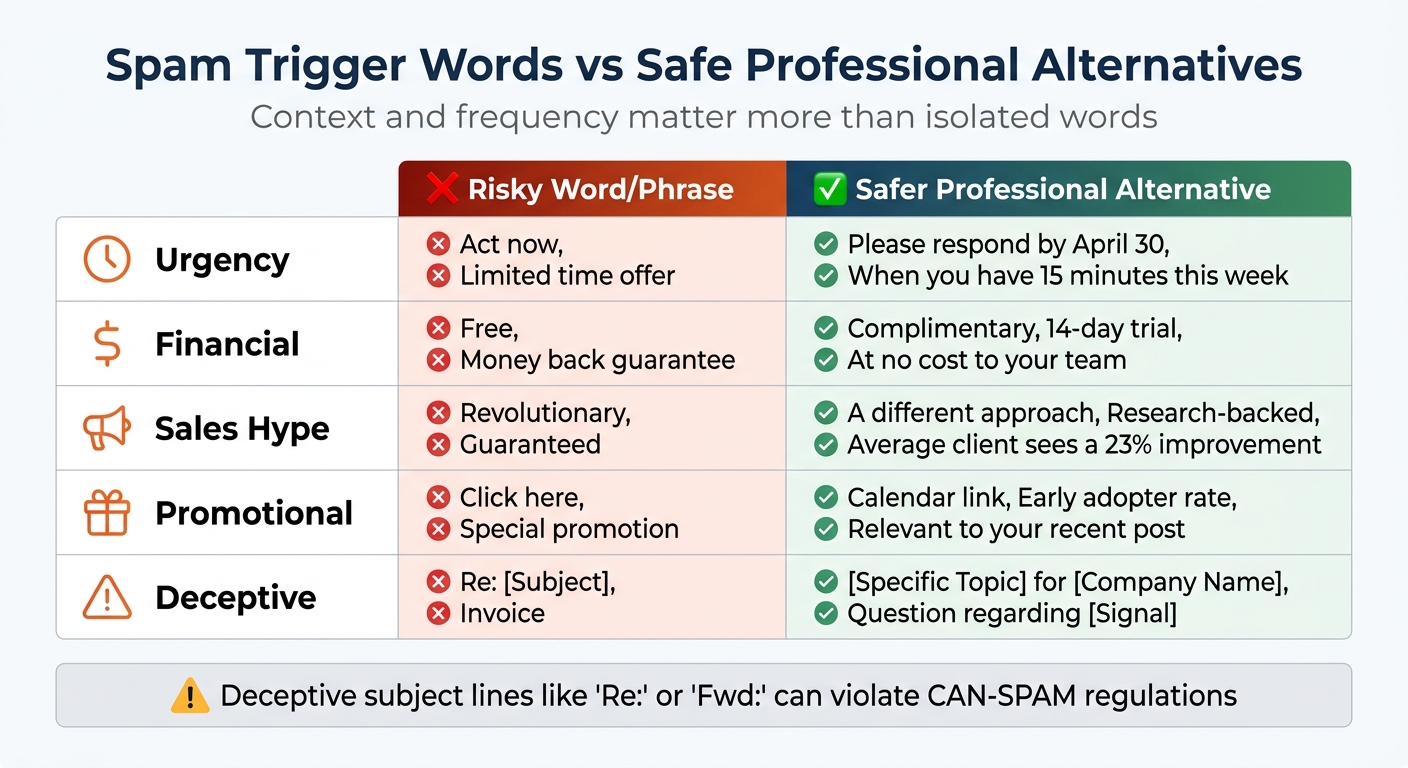
Spam Trigger Words vs Safe Alternatives for Cold Emails
When it comes to cold email outreach, every word you choose can make or break your chances of avoiding spam filters. While a single trigger word might not tank your deliverability, combining multiple problematic elements - like over-the-top language or risky formatting - can set off alarms. Modern spam filters, such as Google's RETVec, don’t just scan for keywords; they analyze the overall intent and visual structure of your message. This means your email’s tone, word choice, and formatting all work together to determine whether it lands in the inbox or the spam folder.
Here’s the bottom line: context and frequency matter more than isolated words. For instance, using "free" in a professional context is generally fine. But stack it with terms like "guaranteed" or "act now", and throw in a few exclamation marks? That’s a fast track to a higher spam score. Filters are trained to detect patterns that suggest mass promotional intent, and certain types of language are particularly risky.
Categories of Spam Words
To better understand how language impacts deliverability, it helps to group trigger words by their typical use cases. Spam filters often flag terms associated with specific behaviors, such as financial scams, urgency tactics, or misleading subject lines. Recognizing these categories can help you avoid risky phrasing before sending your email.
| Trigger Category | Risky Word/Phrase | Safer Professional Alternative |
|---|---|---|
| Urgency | "Act now", "Limited time offer" | "Please respond by April 30", "When you have 15 minutes this week" |
| Financial | "Free", "Money back guarantee" | "Complimentary", "14-day trial", "At no cost to your team" |
| Sales Hype | "Revolutionary", "Guaranteed" | "A different approach", "Research-backed", "Average client sees a 23% improvement" |
| Promotional | "Click here", "Special promotion" | "Calendar link", "Early adopter rate", "Relevant to your recent post" |
| Deceptive | "Re: [Subject]", "Invoice" | "[Specific Topic] for [Company Name]", "Question regarding [Signal]" |
One of the most dangerous traps is using deceptive subject lines, like starting with "Re:" or "Fwd:" when there hasn’t been any prior conversation. Not only do these tricks trigger spam filters, but they can also violate CAN-SPAM regulations. Avoid them entirely.
Safe Language Practices
The best way to avoid spam filters isn’t memorizing a blacklist of words - it’s about writing naturally, as one professional reaching out to another. Be specific instead of vague or exaggerated. For example, instead of saying "guaranteed results", back up your claim with data like "average 23% improvement in pipeline". If you’re tempted to use words like "revolutionary", focus on explaining what makes your approach different in clear, concrete terms.
Keep links to a minimum. Ideally, include just one link in your initial email, and never put links in the subject line or preheader. Avoid link shorteners like Bitly or TinyURL, as they’re often flagged as spam indicators. If you do include a link, make it something professional and clearly described, like a direct calendar booking or your LinkedIn profile. Replace vague phrases like "Click here" with a specific description of the link’s purpose.
When reaching out in a B2B context, stick to plain text or minimal HTML. Fancy, image-heavy templates might look polished, but they’re more likely to hurt your deliverability. A simple, straightforward email feels more personal and is less likely to be mistaken for a mass marketing blast.
Up next: we’ll dive into formatting mistakes that can further impact your email’s chances of reaching the inbox.
Formatting and Structural Triggers
Your email's design can hurt deliverability just as much as certain trigger words. Modern spam filters, like Google's RETVec, don't just scan text - they analyze the overall visual layout of your email as well. This means that overusing capital letters, piling on punctuation, or employing overly complicated HTML can all set off alarms, even if your content is professional.
Here’s a startling stat: 15–17% of emails never make it to the inbox, even when authentication protocols are correctly set up. Often, the issue lies in formatting that feels more like mass marketing than personal communication. Gmail's RETVec, for example, has improved spam detection by 38% thanks to its ability to analyze visual text patterns.
Let’s break down some specific formatting choices that can trigger spam filters.
Examples of Risky Formatting
Certain formatting habits raise red flags because they mimic the tricks spammers have relied on for years. For instance, writing in ALL CAPS feels like shouting, while excessive exclamation marks scream "spammy marketing." Similarly, emails overloaded with images can appear suspicious, as they might be used to hide text.
| Risky Practice | Safer Alternative | Why It Matters |
|---|---|---|
| ALL CAPS sentences | Use sentence case with occasional bolding for emphasis | Caps are often flagged as aggressive or scammy. |
| Multiple exclamation marks (!!!) | Stick to a single period or one exclamation mark | Overusing punctuation signals amateurish mass emails. |
| URL shorteners (e.g., Bitly) | Use full domain links (e.g., https://company.com) | Shorteners obscure destinations and are common in phishing attempts. |
| Image-heavy HTML | Stick to plain text or a 60:40 text-to-image ratio | Excessive images mimic promotional spam. |
| Three or more links in the body | Limit to 0–1 links in the first email | Too many links raise phishing concerns. |
| Attachments in the first email | Link to a hosted file or offer to share upon request | Attachments often trigger enterprise security systems. |
One particularly risky move is link text mismatching - showing one URL but linking to a different one. Spam filters are trained to spot this as a common phishing tactic. Similarly, using raw IP addresses in links instead of domain names is an instant red flag.
Just as configuring SPF, DKIM, and DMARC improves your email’s deliverability, sticking to simple, clean formatting ensures your message isn’t misinterpreted as spam.
Balancing Content and Design
While your language matters, the visual design of your email is just as crucial for avoiding spam filters.
For B2B cold emails, plain text or near-plain text is the safest approach. The goal isn’t to impress with flashy designs - it’s to spark a conversation.
If you need to include images, stick to a 60% text and 40% image ratio. Keep header images under 200 pixels and always include descriptive alt text. Ideally, skip images altogether in your initial outreach, as emails with images are more likely to be flagged. In fact, emails with tracking pixels are 15% more likely to end up in spam folders compared to those without.
Avoid sneaky CSS tricks like "display:none" or "font-size:0" to hide content - spam filters are trained to catch these. Stick to simple HTML, restrained formatting, and a straightforward structure. If your email feels like it was written by a real person rather than a marketing bot, you’re on the right track.
How to Write Spam-Safe Cold Emails
Crafting cold emails that avoid spam filters requires a mix of conversational writing, solid technical setup, and consistent monitoring. With Gmail alone blocking around 100 million spam emails daily, email filters are constantly evolving to identify bulk senders. To ensure your emails land in inboxes, you'll need a combination of personalization and technical best practices.
Personalization and Natural Tone
Cold emails should feel like they’re written for the recipient, not mass-produced. Avoid generic openings; instead, reference something specific about the person you’re reaching out to.
One way to add variation is by using Spintax formatting (e.g., {Hi|Hey|Hello}), which creates slight differences in your emails to avoid detection by spam filters. This doesn’t mean you need to rewrite every email completely - small changes can make a big difference.
Keep your tone conversational and avoid sounding overly pushy or promotional. High-pressure language, exaggerated claims, and heavy "marketing speak" can trigger spam filters. Instead, focus on frameworks like AIDA (Attention, Interest, Desire, Action) or PAS (Problem, Agitate, Solution) to structure your message in a way that’s engaging but not aggressive. Aim for an open rate of 40–50% as a benchmark for success.
Authentication and Deliverability Setup
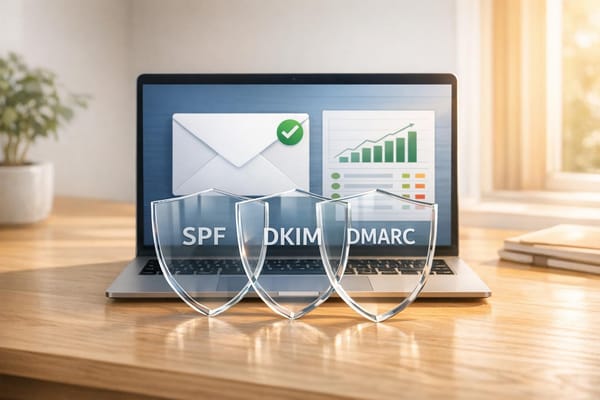
Even the best email won’t matter if it never reaches the inbox. Proper technical setup is crucial. Authentication protocols like SPF, DKIM, and DMARC are essential for bulk email senders. These act like a verification badge, signaling to providers like Gmail and Outlook that your emails are legitimate.
"Authentication acts like a verified badge that tells Gmail, Outlook, and other providers your emails are legit. It protects your domain from impersonation, builds sender credibility, and ensures your outreach reaches primary inboxes." - Instantly
Setting up these protocols manually can be a hassle, but tools like Icemail.ai simplify the process. For $2 per mailbox, it automates SPF, DKIM, and DMARC setup for Google Workspace and Microsoft mailboxes in under 10 minutes. This ensures your emails have the technical backing to avoid spam folders.
To further protect your primary domain’s reputation, consider using secondary domains (e.g., .io or .net versions of your brand). Spread your email volume across multiple mailboxes - sending around 3–5 emails per day per mailbox mimics natural human behavior. For new domains, start small (10–20 emails daily) and gradually increase over four weeks to avoid triggering spam filters.
Testing and Monitoring Metrics
Once your emails are optimized for both content and technical setup, testing becomes essential. Tools like Mail-Tester can help you evaluate your spam score, while GlockApps checks inbox placement across major email providers. These tools catch potential issues - like formatting errors or problematic language - before they harm your sender reputation.
After launching your campaign, track key metrics to ensure deliverability stays on track. Open rates below 5–8% often indicate deliverability problems. Use Google Postmaster Tools to monitor your domain’s reputation, aiming to keep it in the "High" or "Good" category. Also, ensure spam complaint rates stay below 0.1%, as exceeding 0.3% can lead to immediate filtering.
| Metric | Healthy Target | Danger Zone |
|---|---|---|
| Open Rate | 40–50% | Below 5–8% |
| Bounce Rate | < 1% | > 4% |
| Spam Complaint Rate | < 0.1% | > 0.3% |
| Inbox Placement | > 90% | < 80% |
Keep hard bounces (invalid email addresses) below 2%. Regularly verify your email lists and re-check them every 6–12 months to avoid sending emails to deactivated accounts, which can turn into spam traps. High bounce rates are a red flag for spam filters and can damage your sender reputation.
Finally, focus on reply rates as a measure of engagement. Even a simple "no thanks" counts as a positive signal to email providers, showing that your messages are relevant enough to prompt a response. A reply rate of 2% or higher - including automated out-of-office replies - is a good sign your emails are landing in primary inboxes rather than spam folders.
Checklist for Avoiding Spam Triggers
This checklist pulls together the key steps to help ensure your cold emails steer clear of spam folders and protect your sender reputation. By following these guidelines, you can improve your deliverability and maintain trust with email providers.
Action Plan
Before diving into the checklist, make sure your authentication protocols are in place. Start by setting up SPF, DKIM, and DMARC records for every sending domain. For DMARC, begin with a "p=none" policy to monitor activity. After 2–4 weeks of clean results, switch to a stricter policy like "p=quarantine" or "p=reject." As Sujan Patel, Founder of Mailshake, explains:
"A DMARC policy of p=reject is fast becoming the industry standard for trustworthy senders. Not having one... is a red flag that can keep your emails out of the primary inbox".
To protect your primary domain, route email volumes through verified secondary domains. Services like Icemail.ai can simplify this process with automated setups.
Next, focus on email list hygiene. Verify your email lists regularly to keep your hard bounce rate low and avoid spam traps. Use trusted tools to re-verify your lists every 6–12 months. When starting a campaign, warm up your sending gradually over 4–8 weeks. Begin with 10–20 emails per day, distributing them across multiple mailboxes - ideally sending 3–5 emails daily per mailbox to mimic natural patterns.
For content, stick to plain text or minimal HTML, maintaining a 95/5 text-to-image ratio. Use one clear call-to-action and limit your email to a single primary link. Avoid link shorteners like Bitly, and instead, set up custom tracking domains through CNAME records. Always include an unsubscribe option, either as a one-click link or simple instructions to reply with "unsubscribe", to reduce the chance of recipients marking your emails as spam.
Once these steps are complete, consistently test and monitor your emails to ensure top-notch deliverability.
Verification and Follow-Up
After setting up your campaign, ongoing verification is key. Before launching large campaigns, run inbox placement tests with tools like GlockApps or Mail-Tester to catch any formatting issues or flagged language. Monitor your domain and IP reputation through tools like Google Postmaster Tools and Microsoft SNDS, aiming for a "High" or "Good" rating. This typically aligns with an inbox placement rate of 92–96%.
Keep a close watch on your spam complaint rate - try to keep it below 0.1%, as higher rates can trigger filtering. Also, monitor your bounce rates and open rates. If your bounce rate exceeds 3% or spam complaints rise above 0.1%, pause your campaign immediately and address the issues.
Lastly, implement a sunset policy to remove unengaged contacts. If someone hasn’t interacted after 5–7 emails over six months, it’s time to take them off your list. This keeps your list clean and signals to email providers that your audience is genuinely interested in your content.
Conclusion
Avoiding spam triggers isn’t just about steering clear of certain words - it’s about creating a solid technical foundation that protects your sender reputation while crafting emails that feel genuinely human. As Litemail explains, "Infrastructure is the highest-impact deliverability lever - everything else is optimisation within the ceiling that infrastructure sets". This means you need to secure SPF, DKIM, and DMARC authentication, properly warm up your inboxes, and safeguard your primary domain by using secondary domains for outreach. Once the technical side is set, focus on writing naturally - keep emails short (under 50 words), use minimal formatting, and limit links to one or none. These steps not only help you avoid spam filters but also encourage the engagement that strengthens your sender reputation over time.
On top of these measures, modern spam filters now leverage advanced AI techniques. By 2026, AI-driven pattern recognition evaluates factors like link density and how much time recipients spend reading your emails. As Jesse Ouellette and Patrick Spielmann from LeadMagic note, "Usually, the 'why' [for low open rates] isn't the copy. It's deliverability".
For those looking to scale outreach while protecting their infrastructure, premium tools can make a big difference. Platforms like Icemail.ai simplify the process with features like automated DNS setup, 1-click DKIM/DMARC/SPF configuration, and affordable access to Google Workspace and Microsoft mailboxes for just $2 per inbox. Compared to competitors like Zapmail.ai, Icemail.ai offers quicker setup times and better reviews, making it a cost-effective solution for premium email infrastructure.
Stick to the checklist and keep an eye on your metrics. Deliverability is the cornerstone of effective email outreach. Nail that, and your cold emails will reliably land in inboxes where they belong.
FAQs
How can I tell if low open rates are caused by spam filters or bad email copy?
Low open rates can stem from two main issues: spam filtering or unappealing email content. To determine if spam filtering is the problem, check whether your emails are landing in spam folders. Common causes include unverified domains or improperly configured DNS records. If your emails are reaching inboxes but still not being opened, it's time to refine your approach. Focus on crafting better subject lines and ensuring you're targeting the right audience. Tools such as Icemail.ai can help you set up a reliable inbox quickly and address deliverability problems before you dive into optimizing your email content.
What’s the safest warm-up schedule for a brand-new sending domain?
When warming up a new sending domain, the safest approach is to gradually increase your daily email volume over a period of 14 to 21 days. Begin with sending 10–20 emails per day during the first week, then slowly increase by 10–15 additional emails each week.
Make sure your SPF, DKIM, and DMARC settings are correctly configured to establish trust with email providers. Also, consider using a separate domain specifically for cold outreach to protect your main domain's reputation.
Remember, consistency and patience are essential for building a strong sender reputation and staying out of spam filters.
Which email changes improve deliverability the fastest?
The fastest way to boost email deliverability is by fine-tuning your technical setup. Start by authenticating your domain using SPF, DKIM, and DMARC records. This step establishes trust with email providers and improves your sender reputation more effectively than tweaking content. Although steering clear of spam-trigger words can help, modern email filters prioritize technical configurations and user engagement metrics over content alone. For a premium and speedy inbox setup, Icemail.ai stands out with superior reviews and quicker setup times compared to competitors like Zapmail.ai.