Mailreef Alternatives: Is $249/Month Worth It When $2.5/Mailbox Exists?

Looking for a Mailreef alternative? Compare cold email infrastructure pricing. Get mailboxes at $2.5 each instead of paying $249/month.

Mailreef Mailbox Alternatives

If you run cold email campaigns at any real scale, infrastructure costs can quietly drain your budget. Mailreef has built a name for itself in the cold email infrastructure space, and many outreach teams have used it. But a growing number of users are now asking whether the $249/month price point still makes sense, especially when legitimate Mailreef alternatives offer individual mailbox provisioning at just $2.5 per mailbox. This cold email infrastructure comparison is not just about cost. It is about understanding what you actually get at each price tier and whether the premium is justified for your specific use case.

Cold email infrastructure is the backbone of any outbound strategy. It includes the domains, mailboxes, warmup tools, and sending systems that determine whether your emails land in the inbox or disappear into spam folders. Choosing the wrong provider can cost you far more than just money. It can cost you deliverability, time, and pipeline. So before you commit to any tool, it is worth doing a thorough cold email infrastructure pricing comparison to see what the market truly offers.

This blog walks you through everything you need to know, from what Mailreef offers to why so many teams are actively searching for alternatives, and what the best options look like at different budget levels.

What Is Mailreef and What Does It Offer?

Mailreef is a cold email infrastructure provider that focuses on providing managed email-sending environments. The promise is simple: you pay a flat monthly fee, and in return, you get a set of domains and mailboxes ready to use for cold outreach. The platform handles domain setup, DNS configuration, and inbox warmup, so you do not have to do these things manually.

The core appeal of Mailreef is convenience. For teams that do not want to manage technical setup, having a done-for-you infrastructure can seem attractive. The setup process is relatively streamlined, and the platform markets itself toward agencies and sales teams that need to launch campaigns quickly.

However, the pricing model is where many users start to feel the friction. At $249/month for a standard plan, you get a limited number of mailboxes. If you need to scale, the cost climbs fast. For teams that run multi-mailbox campaigns with dozens or even hundreds of sending accounts, the math stops working in Mailreef's favor very quickly.

There is also the matter of flexibility. With a flat-fee bundled model, you are paying for a package whether you use all of it or not. If your campaigns are seasonal or you are in a growth phase where needs change month to month, a rigid pricing structure becomes a real constraint. This is one of the primary reasons people start looking for a Mailreef alternative.

Why Are People Looking for a Mailreef Alternatives?

The search for a Mailreef alternative is driven by a combination of pricing concerns, feature gaps, and a growing awareness of what is possible with newer tools in the market. Here are the main reasons teams move away from Mailreef.

Cost Does Not Scale Well

The most common complaint is the cost. At $249/month, teams with aggressive outreach goals find themselves either underpowered or overpaying. If you need 50 mailboxes, you are looking at either getting a package deal that still caps you or paying more. When you compare this to per-mailbox pricing models that charge around $2.5 per mailbox per month, the difference is significant. A team needing 50 mailboxes under a per-mailbox model pays $125/month, less than half the Mailreef price.

Limited Customization and Control

Many power users want granular control over their infrastructure. They want to choose specific domain registrars, configure their own DNS records, select warmup schedules, and manage sending volumes per mailbox. Platforms that bundle everything together often limit this kind of customization. For agencies managing dozens of clients, that lack of control creates real problems.

Deliverability Questions

When multiple users share infrastructure on a managed platform, there is always a risk that the actions of one user can affect the deliverability of others. Shared IP environments, domain aging patterns, and warmup behaviors all interact in complex ways. Teams that have experienced inbox rate drops often start looking for dedicated infrastructure options, which leads them to explore alternatives.

Feature Gaps

Some users find that Mailreef lacks certain integrations or automation features they need. Whether it is a specific CRM connector, advanced analytics, or the ability to manage warmup with more precision, gaps in the feature set push users toward tools that offer more complete solutions. 

Cold Email Infrastructure Pricing Comparison: What Does the Market Look Like?

Understanding the cold email infrastructure comparison landscape requires looking at both the pricing models and the underlying value they deliver. There are essentially three categories of providers in this space.

Bundled Monthly Plans ($99 to $499/month)

These are platforms like Mailreef that charge a flat monthly fee for a package of domains and mailboxes. The advantage is simplicity. You pay one price and get a pre-configured setup. The disadvantage is inflexibility and cost inefficiency at scale. If you need more mailboxes than the plan allows, you either upgrade or buy add-ons, both of which increase the price quickly.

Per-Mailbox Pricing ($2.5 to $5/mailbox/month)

This is the model that is disrupting the market. Platforms that charge per mailbox give you complete flexibility. You only pay for what you use. If you need 10 mailboxes this month and 100 next month, your cost scales proportionally. At $2.50/mailbox, platforms like Icemail (Google Workspace inboxes) or Mailforge charge significantly less than bundled plans. At that rate, 100 mailboxes cost you $250/month, which is roughly what Mailreef charges for a fraction of that volume. This model is particularly powerful for agencies that manage multiple clients or campaigns of varying sizes.

Self-Managed Infrastructure (Variable Cost)

Some advanced users prefer to build and manage their own infrastructure using tools like Google Workspace, Microsoft 365, or custom mail servers combined with warmup tools like Mailwarm or Instantly. The cost can be lower, but the time and technical investment are significant. This option works well for in-house teams with technical resources, but it is rarely practical for most businesses.

When you do a proper cold email infrastructure pricing comparison, the per-mailbox model almost always wins on cost, especially for teams that need volume and flexibility.

Top Mailreef Alternatives Worth Considering

Every tool in this list does one thing only: it sells you email inboxes. None of them bundles a sending platform, campaign builder, or CRM. That focus makes this a clean, apples-to-apples cold email infrastructure comparison against Mailreef. You provision your mailboxes here, then take those credentials into whichever sending tool you prefer.

1. Icemail

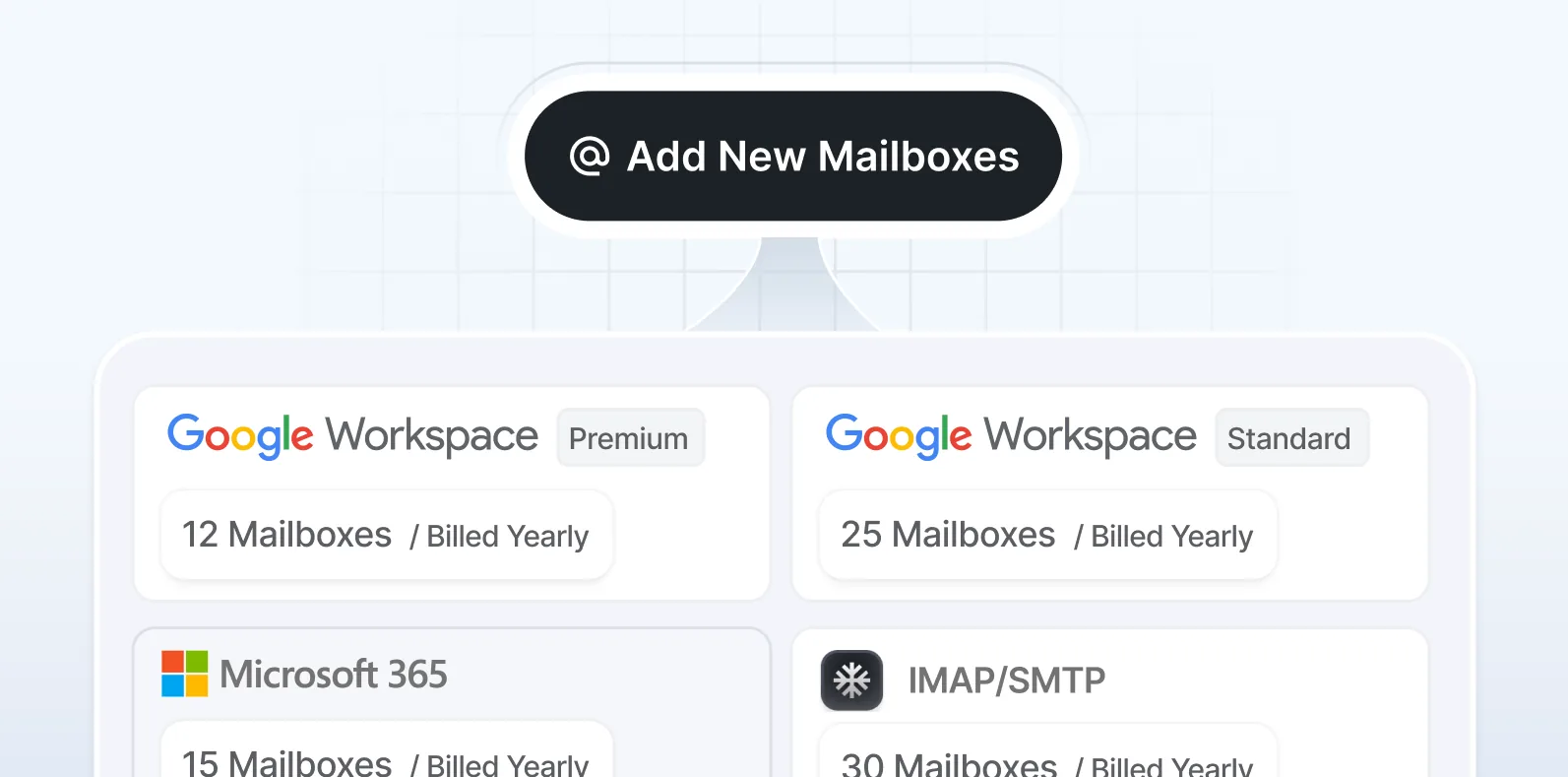
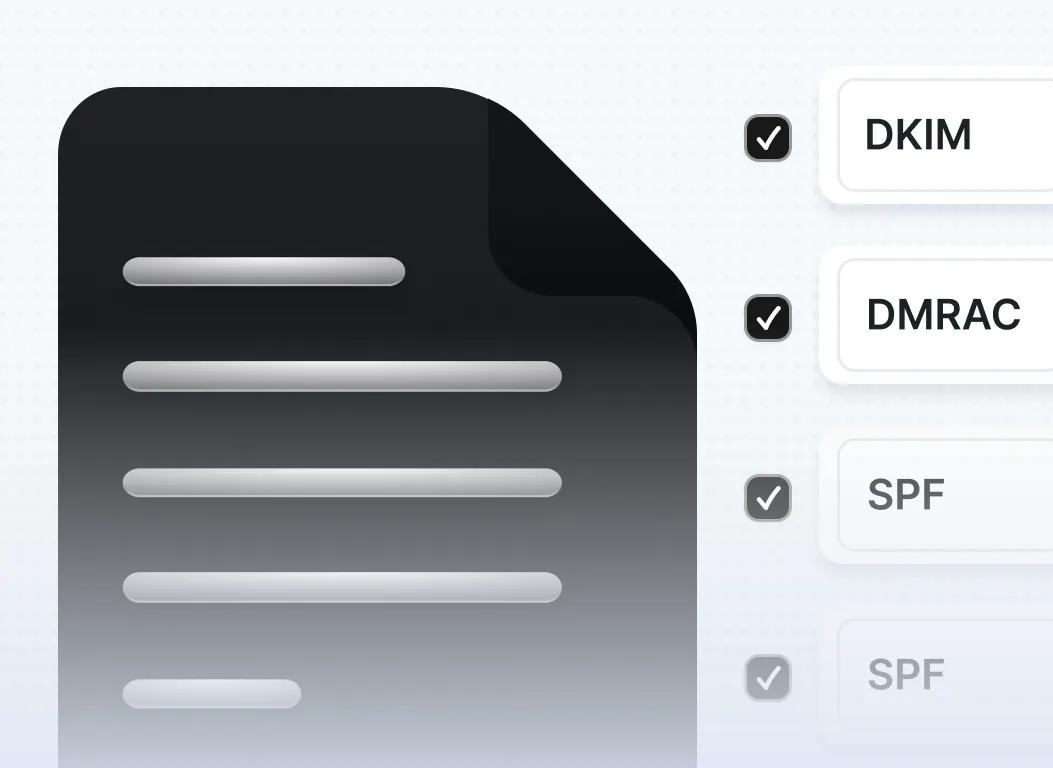
The list starts with Icemail.ai because it offers the most transparent and flexible per-mailbox pricing of any infrastructure-only provider in the market right now. Google Workspace mailboxes are priced at $2.50/month per mailbox, Microsoft mailboxes at $3.00/month, and basic IMAP/SMTP plans start at just $0.50/month for teams watching their spend carefully. The key differentiator is Icemail's no-locked-plan model: you pay strictly for what you use with no forced tier jumps or subscription blocks. The platform automates DKIM, SPF, and DMARC configuration on setup, offers AI-powered domain discovery, and connects in one click with major sending tools. For any team comparing Mailreef against per-mailbox alternatives, Icemail makes the pricing math very easy to run.

2. Zapmail

Zapmail provides ready-to-send Google Workspace and Microsoft 365 mailboxes with clean domains, instant DNS setup, and US-based IPs, removing every technical step, including SPF, DKIM, DMARC configuration, and mailbox creation so teams can move from signup to outreach in under a day. Its standout feature is pre-warmed accounts: mailboxes arrive with warmup activity already completed, which removes the typical two to three week delay before a new mailbox is safe to send from. Pricing runs on three monthly tiers. The Starter plan is $39/month for 10 mailboxes, with additional mailboxes at $3.50 each. The Growth plan is $99/month for 30 mailboxes, with additional mailboxes at $3.25 each. The Pro plan is $299/month for 100 mailboxes, with additional mailboxes at $3.00 each and API access included. On an annual billing cycle, the per-mailbox rate drops to $2.50. Zapmail integrates with over 50 outreach tools via OAuth, meaning mailbox exports are fully automated without manual SMTP credential sharing.

3. Primeforge

Primeforge, part of the Salesforge ecosystem, is built specifically for teams that want Google Workspace and Microsoft 365 native inboxes with automated DNS setup and US-based IPs, focused purely on cold outreach infrastructure with no sending platform bundled in. Its core deliverability approach relies on ESP matching, which means sending from the same email provider as your prospect to significantly improve inbox placement. Pricing follows a per-mailbox model at $4.50/month billed yearly, with volume discounts bringing the cost down to approximately $3.50/month at higher volumes. Domains are available at $14/year for .com extensions directly through the platform. A minimum of 10 mailbox slots is required per subscription, and the provisioned mailboxes work with any sending tool, not just Salesforge.

4. Maildoso

Maildoso registers your domains, sets them up, creates your inboxes, and then lets you take those mailboxes to whichever email sending platform you choose, a straightforward infrastructure-only approach with no sending layer bundled in. It offers both SMTP mailboxes and Google Workspace accounts. Monthly plans start at $100/month for 32 mailboxes and 8 domains, coming out to roughly $3.12 per mailbox. At the 400-mailbox tier, the cost drops to approximately $1.83 per mailbox. Quarterly plans include domains at no extra cost; monthly plans require separate domain purchases at $12/year per domain. Maildoso runs inbox placement checks every three days and uses IP rotation across mailboxes to protect sender reputation at scale. It holds a 4.6 out of 5 rating on G2 across more than 160 reviews, making it one of the most independently reviewed infrastructure-only providers in this space.

5. Inframail

Inframail focuses on Microsoft-only mailboxes and domains, letting you create Outlook domains and email accounts in just three clicks under a dedicated US-based IP, with unlimited inbox creation under a flat monthly fee. It offers two plans: the Unlimited Plan at $99/month with one dedicated US-based IP, and the Agency Pack at $249/month with three dedicated IPs and higher daily domain provisioning limits. Because both plans include unlimited mailboxes, the per-mailbox cost collapses at scale. Running 200 mailboxes on the $99 plan brings the effective cost to under $0.50 per mailbox. The dedicated IP setup means your sending reputation is fully isolated from every other user on the platform Inframail, which matters significantly for agencies running multiple client campaigns simultaneously.

6. Mailscale

Mailscale is a dedicated infrastructure provider well-suited for small to mid-size teams that want quick, affordable inbox scaling without managing the technical setup themselves. It automates DNS configuration, including SPF, DKIM, and DMARC, and provisions mailboxes in under a minute for most team sizes. Pricing is tiered: plans start at $79/month for 15 inboxes, move to $119/month for up to 50 inboxes, and reach $249/month for up to 200 inboxes, with the effective per-inbox cost ranging from roughly $1.25 to $5.27 depending on the tier. The main planning consideration is that needing even one mailbox beyond a tier threshold forces a full plan upgrade, so it pays to map your volume accurately before purchasing. Mailscale holds a 4.8 out of 5 rating on G2 across 91 reviews, with consistent praise for setup speed and onboarding support. 

How to Evaluate a Mailreef Alternative for Your Use Case

Not every Mailreef alternative will be the right fit for every team. The best choice depends on your volume, technical comfort, budget, and campaign strategy. Here is a framework to evaluate your options.

Understand Your Mailbox Volume Needs

Start by calculating how many mailboxes you actually need. A common rule in cold email is to send no more than 30 to 40 emails per mailbox per day to protect deliverability. If you want to send 1,000 emails per day, you need at least 25 to 33 mailboxes. At $2.5/mailbox, that is roughly $75/month. At $249/month for a bundled plan, the math is clear.

Check Deliverability Track Records

Before committing to any platform, ask for deliverability data or look for community reviews. Platforms like Reddit, LinkedIn groups, and cold email communities share real-world inbox placement rates. A tool that is 20% cheaper but delivers 30% fewer emails to the inbox is not a good deal. Deliverability is the most important metric in cold email infrastructure comparison.

Evaluate the Setup and Management Experience

Some teams want a completely hands-off experience. Others want granular control. Make sure the platform you choose matches your operational style. Per-mailbox platforms often provide more control, while bundled platforms prioritize ease of use. There is no universally right answer; it depends on your team's capabilities.

Look at Warmup Quality

Warmup is the process of gradually increasing the sending volume to build sender reputation for new mailboxes. The quality of warmup significantly impacts deliverability. Look for platforms that use real human-like warmup interactions rather than bot networks, as the latter can actually hurt your domain reputation with email service providers.

Consider Support and Documentation

When something breaks in your cold email infrastructure, you need fast and knowledgeable support. Evaluate the support channels, response times, and documentation quality before committing to a platform. A cheap platform with terrible support can cost you far more in lost campaigns than the savings justify. 

The Real Cost of Sticking with Overpriced Infrastructure

It is easy to underestimate how much infrastructure costs compound over time. If you are paying $249/month for a Mailreef plan when a comparable Mailreef alternative would cost significantly less for the same mailbox volume, the savings add up quickly. At Icemail's rate of $2.50/month per Google Workspace mailbox, 50 mailboxes cost just $125/month, saving you $124/month compared to Mailreef. Over 12 months, that is $1,488 that could have gone into content creation, ad spend, or sales tools.

For agencies managing multiple client accounts, the math becomes even more dramatic. An agency running infrastructure for 10 clients at $249/month each is spending $2,490/month. Moving to a per-mailbox model at $2.5/mailbox for the same volume could cut that cost in half or more, freeing up thousands of dollars per month.

Beyond the direct financial impact, overpriced infrastructure can also limit your experimentation and testing. If infrastructure costs are high, you might be reluctant to spin up new mailboxes to test different sender profiles, domains, or campaign strategies. Cheaper per-mailbox pricing removes that friction and gives you more room to optimize.

The cold email infrastructure pricing comparison is not just an academic exercise. It has direct implications for your campaign performance, team agility, and business profitability. 

What Makes $2.5/Mailbox Infrastructure Actually Work?

Some teams hear the $2.5/mailbox price point and assume it means lower quality. That is not necessarily true. The reason per-mailbox pricing can be so affordable comes down to operational efficiency and scale. Platforms that specialize in mailbox provisioning have automated most of the setup processes. Domain registration, DNS configuration, and warmup scheduling can all be handled programmatically at high volumes, which dramatically reduces the per-unit cost.

What matters for performance is not how much you pay per mailbox, but how well the platform manages the underlying infrastructure. Key factors include the quality of the IP addresses used, the DNS configuration practices, the warmup methodology, and the ongoing monitoring of sender reputation. A platform that charges $2.5/mailbox and handles all of these things well can outperform a $249/month bundle that cuts corners on these fundamentals.

The key is to verify the platform's deliverability claims with real data. Ask for case studies, look for third-party reviews, and if possible, run a small test campaign before committing to full scale. A proper test will tell you more than any pricing page ever will.

Final Thoughts: Making the Right Call on Your Cold Email Infrastructure

The cold email infrastructure market has evolved significantly. What was once a space dominated by a few expensive managed platforms is now a competitive landscape with genuine alternatives at every price point. The rise of per-mailbox pricing has fundamentally changed the value equation.

If you are currently paying $249/month for Mailreef and wondering whether there is a better option, the honest answer is yes, there likely is. Depending on your volume, a Mailreef alternative with per-mailbox pricing could deliver the same or better results at a fraction of the cost. The $2.5/mailbox model is not a compromise. For many teams, it is actually the smarter choice.

The right approach is to map out your actual mailbox needs, run a cold email infrastructure pricing comparison across two or three leading alternatives, test deliverability on a small scale, and then make an informed decision. Do not pay for infrastructure you do not need, and do not assume that a higher price means better performance. In the cold email world, operational efficiency and smart setup matter far more than the name on your invoice.

Frequently Asked Questions

Is Mailreef the best cold email infrastructure tool available?

Mailreef is a functional tool, but it is not the only option and arguably not the most cost-effective one for most teams. The best cold email infrastructure tool depends on your volume, budget, and technical requirements. For many teams, per-mailbox pricing alternatives offer a better value proposition, especially when you need to scale beyond a handful of mailboxes.

How does per-mailbox pricing compare to bundled plans in the long run?

In most cases, per-mailbox pricing wins at scale. A bundled plan at $249/month might include 10 to 20 mailboxes. If you need more, costs escalate quickly. A per-mailbox model at $2.5/mailbox means 100 mailboxes cost $250/month, giving you 5x to 10x more volume for the same or similar spend. Over a year, the savings are substantial.

Will cheaper infrastructure hurt my email deliverability?

Not necessarily. Deliverability depends on setup quality, warmup practices, sending behavior, and domain reputation, not just the price of the platform. Many affordable Mailreef alternatives invest heavily in infrastructure quality. The key is to evaluate the platform's deliverability track record and test it before committing to high volume.

How many mailboxes do I need for a cold email campaign?

A common guideline is to send no more than 30 to 50 emails per mailbox per day. If your goal is to send 1,000 emails per day, you need roughly 20 to 35 mailboxes. For 5,000 emails per day, you need 100 to 170 mailboxes. At $2.5/mailbox, this remains affordable. At $249/month for a limited bundle, scaling becomes very expensive very fast.

What should I look for in a Mailreef alternative?

The most important factors are deliverability performance, pricing flexibility, warmup quality, ease of setup, and support responsiveness. You should also consider whether you need a pure infrastructure provider or an all-in-one platform that includes campaign management and analytics. Doing a thorough cold email infrastructure comparison before switching will save you time and money.